
Update address
You can update your profile online by clicking here. For your reference your username is your email address, and if you need to reset the password please click here.
After logging in, you can edit your profile by following the steps below;
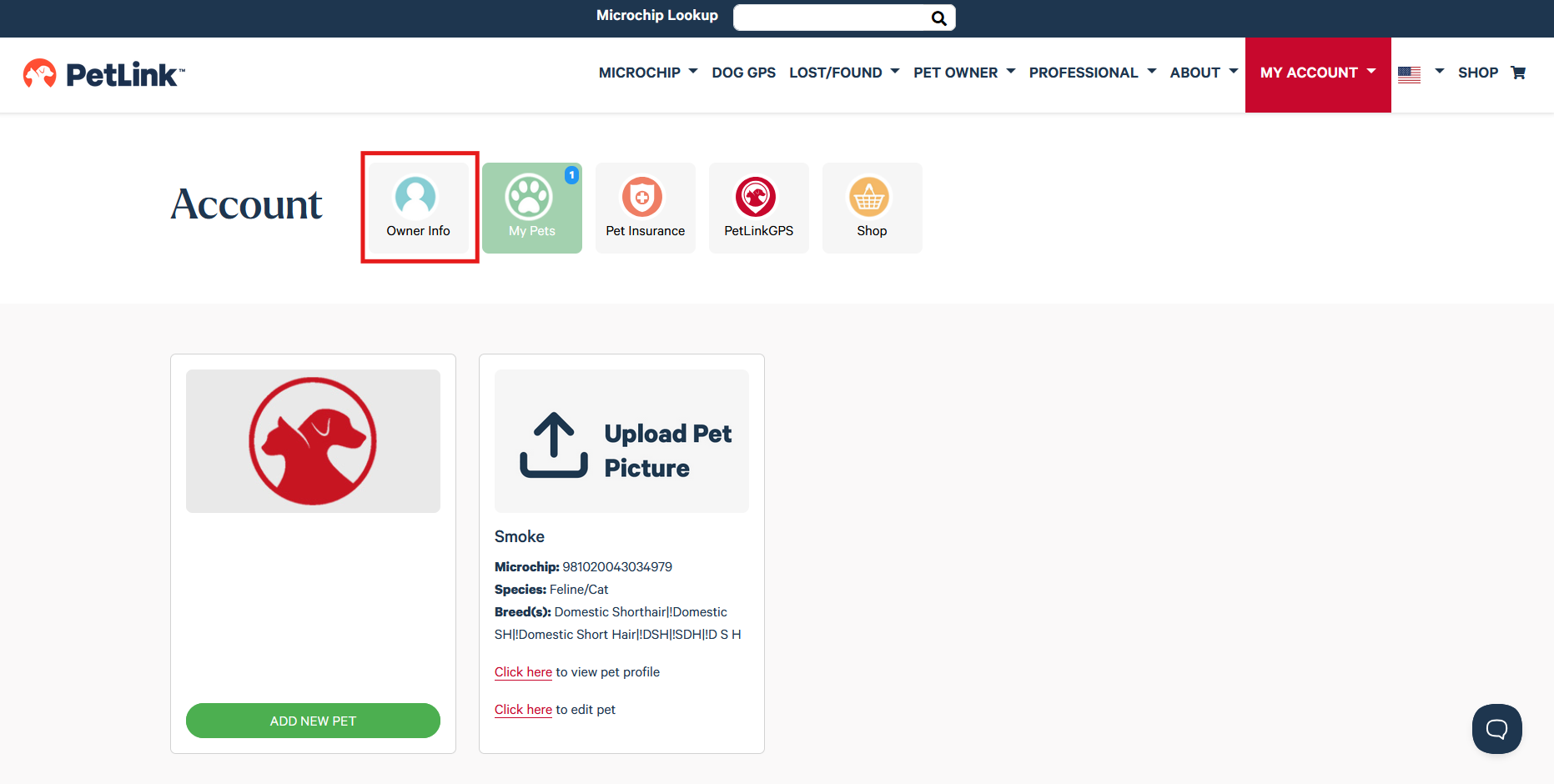
- Click on Owner Info
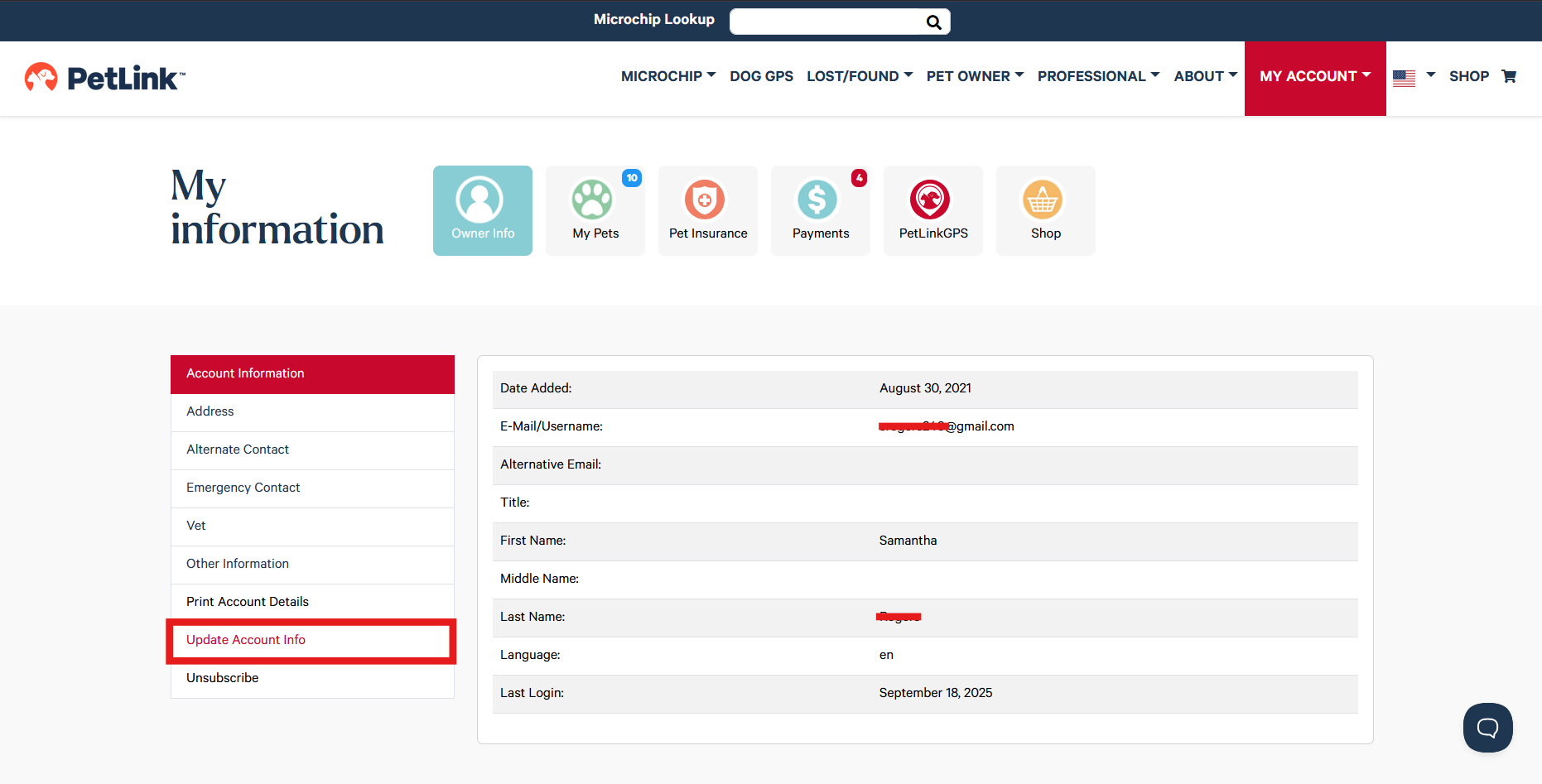
- Select Update Account Info
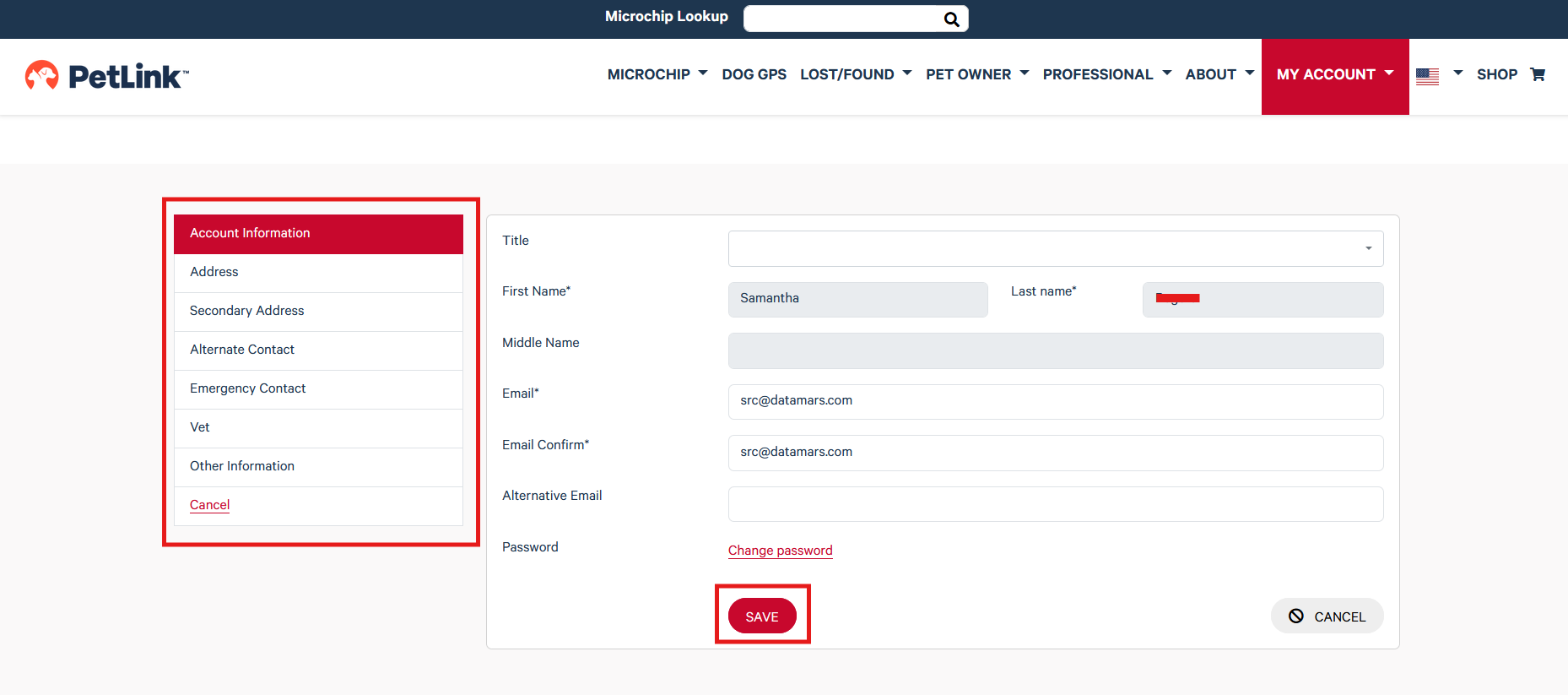
- Select the field you would like to update, enter desired changes and click on the red Save button at the bottom of the page to save your changes
For further assistance, contact PetLink customer support at (877) 738-5465 or via email at petlink@petlink.net.
Phone support is available M-F from 8am - 6pm (EST) for general assistance and 24/7/365 for lost and found pets.
Email support is available M-F 8am-5pm (EST)