how do i change my address
After logging into your PetLink account, you can edit your profile by following the steps below;
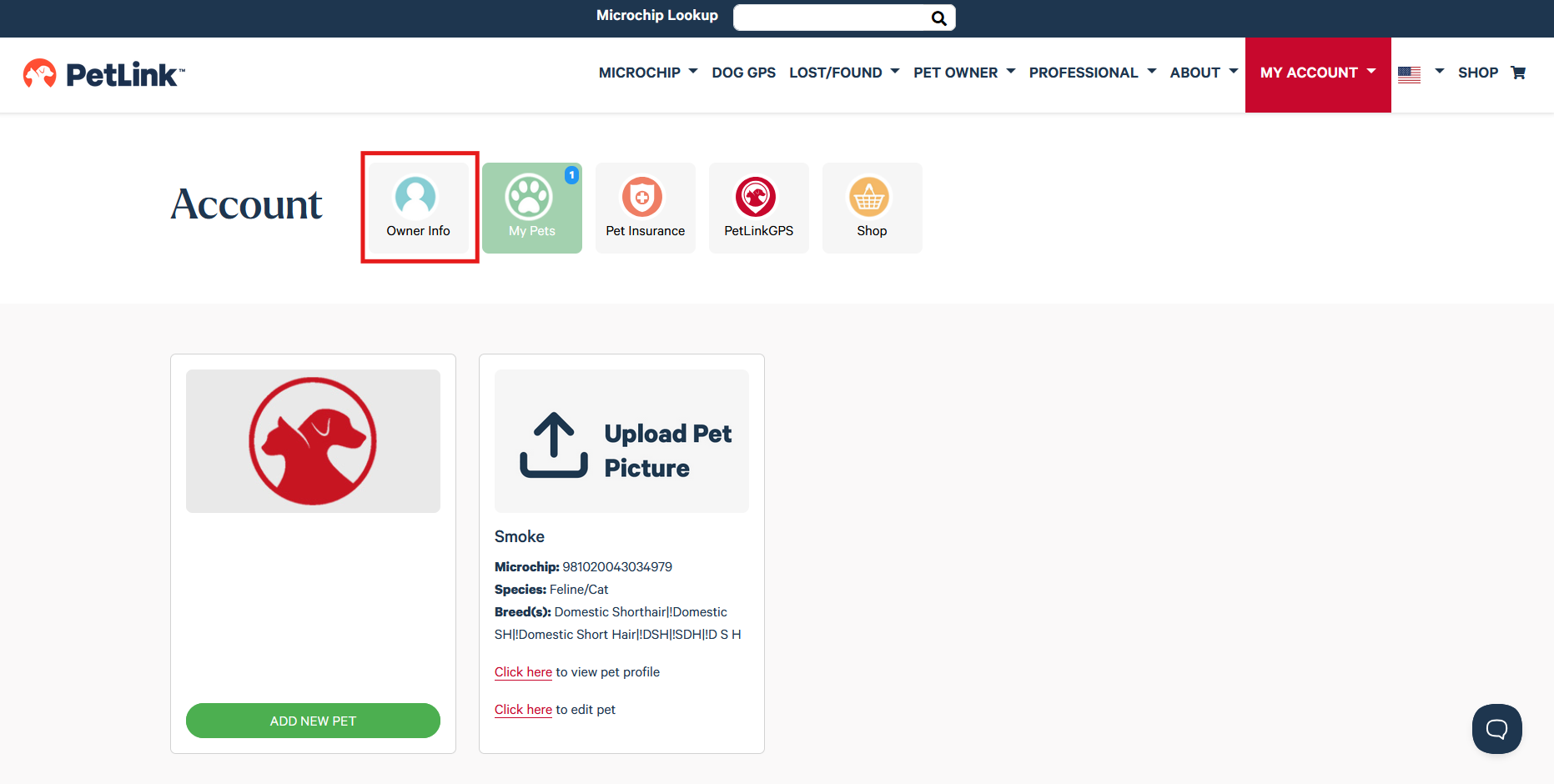
- Click on Owner Info
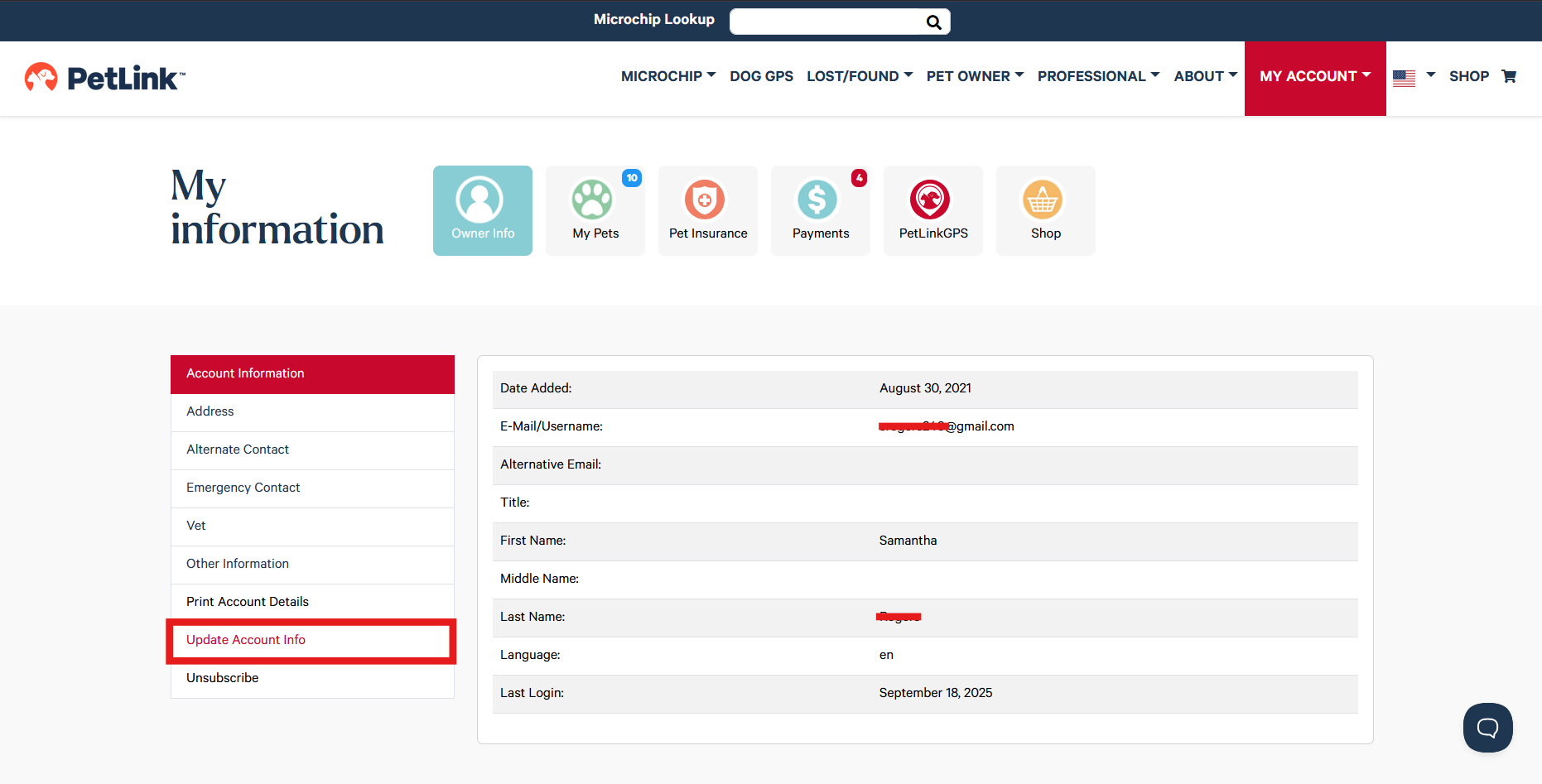
- Select Update Account Info
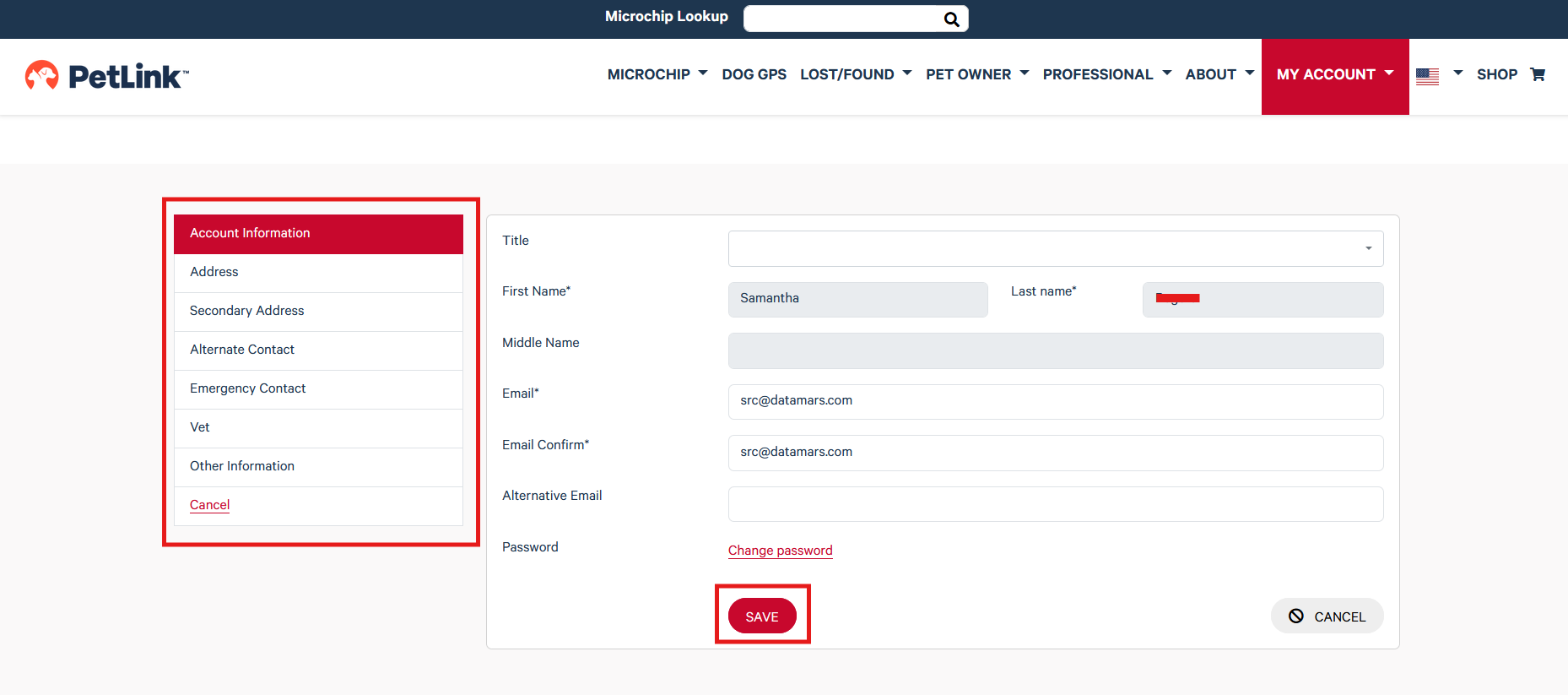
- Select the field you would like to update, enter desired changes and click on the red Save button at the bottom of the page to save your changes